
Introduction
Imagine this situation, you went to a client company, and their website need an emergency layout troubleshooting, but you have no tools with you to diagnose the problem. What you going to do? Here is a list of bookmarklets that will help you when you encounter that kind of emergency situation. You just have to bookmark them with your delicious account and you will able to access it anywhere you want.
- Form Text Resizer

Have you ever felt annoyed when the textarea is too too small to type on? FormTextResizer is a bookmarklet that allows you to resize any textarea or text input on any webpage. This way, you won't be confined to a teensy little comment box or e-mail field. Just activate the bookmarklet, then click-drag on the textarea or text field that you want to resize. Simple! - Markup
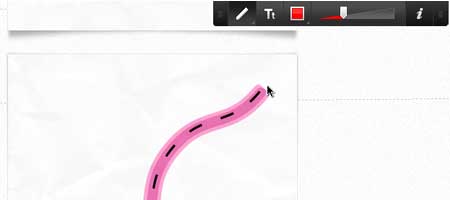
Capture your thoughts quickly and easily by drawing on any webpage. Share your ideas with coworkers, colleagues, and friends. MarkUp works in your browser, so there’s nothing to download and install. - Edit Web Pages like Wiki
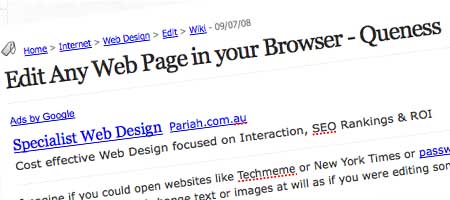
This tool allow you to change the text of a website. Well, not permanent changes, more like a mock up. The moment you press the Edit Website button from the bookmarks toolbar, the web page you are currently reading turns into an editable document – you can then edit text, move around images on the page or even remove them completely. - Print Liminator
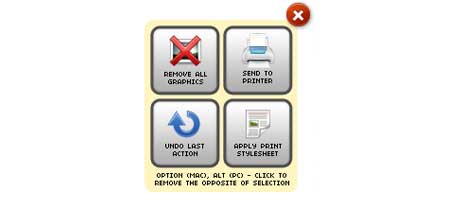
The Printliminator is a bookmarklet with some simple tools you can use to makes websites print better. One click to activate, and then click to remove elements from the page, remove graphics, and apply better print styling. - XRay
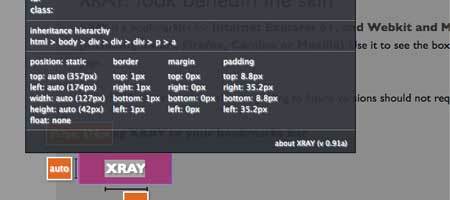
XRAY is a bookmarklet for Internet Explorer 6+, and Webkit and Mozilla based browsers (including Safari, Firefox, Camino or Mozilla). Use it to see the box model for any element on any web page. - Favelet Suite

The developer of Favelet Suite combined most of his favourite tools into a bookmarket. It contains color list, doc tree chart, html attribute viewer, http header viewer, javascript object tree, hidden field modifier, mouseover DOM inspector and a lot more useful tools. - Char Count

Count is a bookmarklet for counting characters (and words and lines) on a web page. Simply select some text on the page, click the bookmarklet and watch the count. - KeepVid

Keepvid allows you to downloading streaming videos converted into different video file formats. So, if you're watching video on youtube and you want to download it, just click on the bookmarklet and it will show you the download links. - WebShot

You can use a bookmarklet to automatically help you start the screenshot process. Once you find the page you want to screenshot, you just click the bookmarklet and away you go. - PDF Download

PDF Download lets you convert web pages into high-quality PDF files free from any web browser, including Google Chrome, Safari, Firefox, Internet Explorer and Opera. - Readability
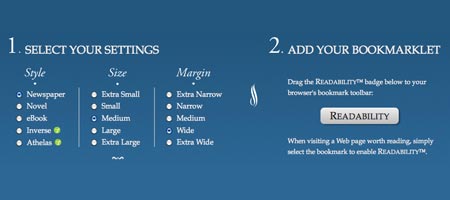
Readabilityâ„¢ is a simple tool that makes reading on the Web more enjoyable by removing the clutter around what you're reading. Follow the steps below to install Readabilityâ„¢ in your Web browser. - Firebug Lite
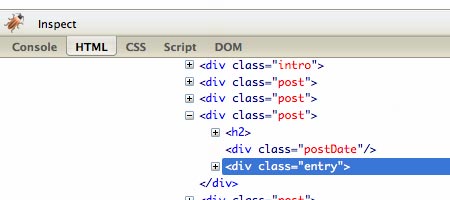
The most famous web development tool has been squeezed into a bookmarkeklet, of course with limited features but it works on Internet Explorer 6+, Opera and Chrome. - Google Bookmarklets

Hate Google toolbar but wants some shortcut to access Google's services? Here's a small list of bookmarks related to Google's services. Most of them provide features from Google Toolbar. To save them, make sure bookmark toolbar is visible (go to View > Toolbar and check Bookmarks Toolbar, Links or Personal Bar, depending on your browser) and drag the link to the toolbar.

Comments will be moderated and
rel="nofollow"will be added to all links. You can wrap your coding with[code][/code]to make use of built-in syntax highlighter.thanks for list :)