
Introduction
As a web designers or/and developers, I believe we all have our own favourite tools. For me, I have heaps of them and some of them are extremely useful. Because of these plugins, air apps and editors, I able to finish my projects on time, going back home on the dot. :)
To all the fellow developers who have make all these wonderful plugins/applications.
A HUGE THANK YOU!
Â
Firefox Plugins
A lot of Firefox plugins have changed web designers and developers' life. :) For myself, I'd be least efficient if I work without firebug and web developer. Debugging html, css layout is so much easier with all those plugins. The following is my favourite plugins:
- Web Developer Tools

The Web Developer extension adds a menu and a toolbar to the browser with various web developer tools. It is designed for Firefox, Flock and Seamonkey, and will run on any platform that these browsers support including Windows, Mac OS X and Linux. - ColorZilla
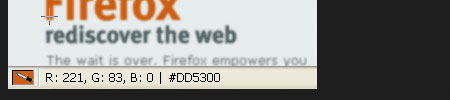
Advanced Eyedropper, Color Picker, Palette Viewer and other colorful goodies for your Firefox - Screengrab!
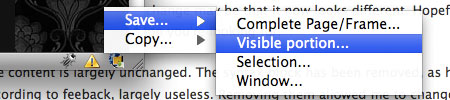
Screengrab! Firefox Extension is a handy web development tool with 6 excellent options. Screengrab! saves or copies to clipboard web pages as images. - HTML Validator
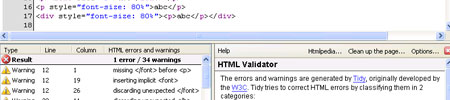
HTML Validator is a Mozilla extension that adds HTML validation inside Firefox and Mozilla. The number of errors of a HTML page is seen on the form of an icon in the status bar when browsing. The details of the errors are seen when looking the HTML source of the page. - Firebug
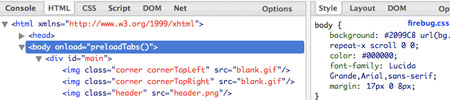
Firebug integrates with Firefox to put a wealth of web development tools at your fingertips while you browse. You can edit, debug, and monitor CSS, HTML, and JavaScript live in any web page. - FireRainbow
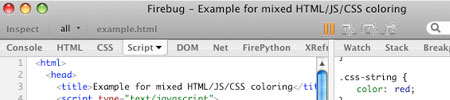
FireRainbow brings javascript syntax highlighting to Firebug. - Live Header

View HTTP headers of a page and while browsing. - Dust-Me Selectors

Dust-Me Selectors is a Firefox extension (for v1.5 or later) that finds unused CSS selectors. - CSS Validator

CSS Validator is a Mozilla Firefox extension which Validates a page using the W3C CSS Validator. - IETab - windows only

IE Tab, an extension from Taiwan, embeds Internet Explorer in a Mozilla/Firefox tab.
Adobe Air Applications
Adobe Air application is like mac widgets. They are small but extremely useful. The following are the apps that I think can be very inspiring for designers and helpful to developers.
- colorPicker

colorPicker is a widget-like AIR application that lets you either choose a "web-safe" color from a color grid or design a color using sliders to adjust the red, green, and blue values of the color. - Color Browser
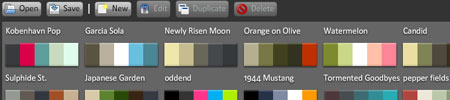
This application is a simple way to create and organize your favorite color palettes. Sets of colors are easily viewable in a clean interface. Edit them, rearrange them, create new sets, make them your own. - Kuler Desktop

Browse, search, and save themes directly from your desktop with this Adobe AIRâ„¢ application. Drag individual themes to your desktop, where they can be scaled to any size - Em based layout

A calculate to save the hassle in calculating the em of any give px. - Polaris Google Analytic Reporting

Polaris is a cross-platform desktop widget for Google Analytics. With 8 standard reports it's the easiest way keep your data always instantly available. The rich interface and swift navigation make it a pleasure to use. - Pixus

Pixus is a tool to measure the screen objects in pixels using both mouse and keyboard control and preview your design with skins and presets. - JustResizeIt!
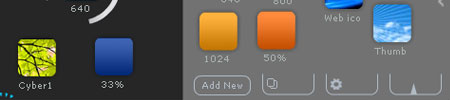
JustResizeIt! introduces a brand new way of resizing images – just drag and drop them!
My favourite Mac & Windows Tools
For me, I have two different working environments - windows and mac. Therefore, I have the chance to try out different kind of softwares. In my opinion, I think notepad++ is the best editor I ever used. I have been trying out all kinds of solution out there, forexample, coda and textmate, none of them can give me the robustness that notepad++ offered. The rest of the software I find myself has been using it, and I'd like to share it with all of you.
- Notepad++ - win

I have to admit, this is the BEST web development editor! Unfortunately it's only available on windows! It comes with tabbed interface, configurable syntax highlighting, syntax folding, line numbering, multi-view, bookmarks and regular expression search and heaps of useful features. - Putty - win
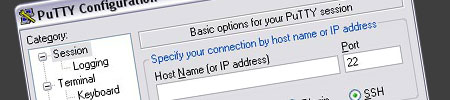
PuTTY is a free implementation of Telnet and SSH for Win32 and Unix platforms, along with an xterm terminal emulator. - Filezilla - mac, win
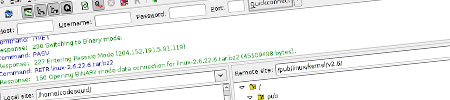
FileZilla is free and powerful cross platform FTP solution. - Clyppan - mac
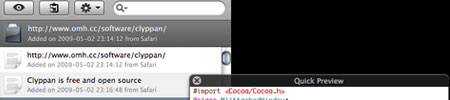
Clyppan is a free and Open Source clipboard history application for Mac OS X that’s always at your fingertips. - TextWrangler - mac
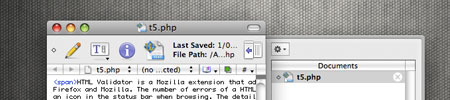
TextWrangler is the powerful general purpose text editor, and Unix and server administrator’s tool.
Â
Don't forget to share this article to show your support! :)

Comments will be moderated and
rel="nofollow"will be added to all links. You can wrap your coding with[code][/code]to make use of built-in syntax highlighter.I found another interesting resource, http://clipardo.com/ that searching clipart images by black&white sketch. Try it!
Maybe you could look at some online tools, like http://codey.co a webbased on-FTP code editor.